Better Numerical Inputs for Mobile Forms
Brad Frost Better Numerical Inputs for Mobile Forms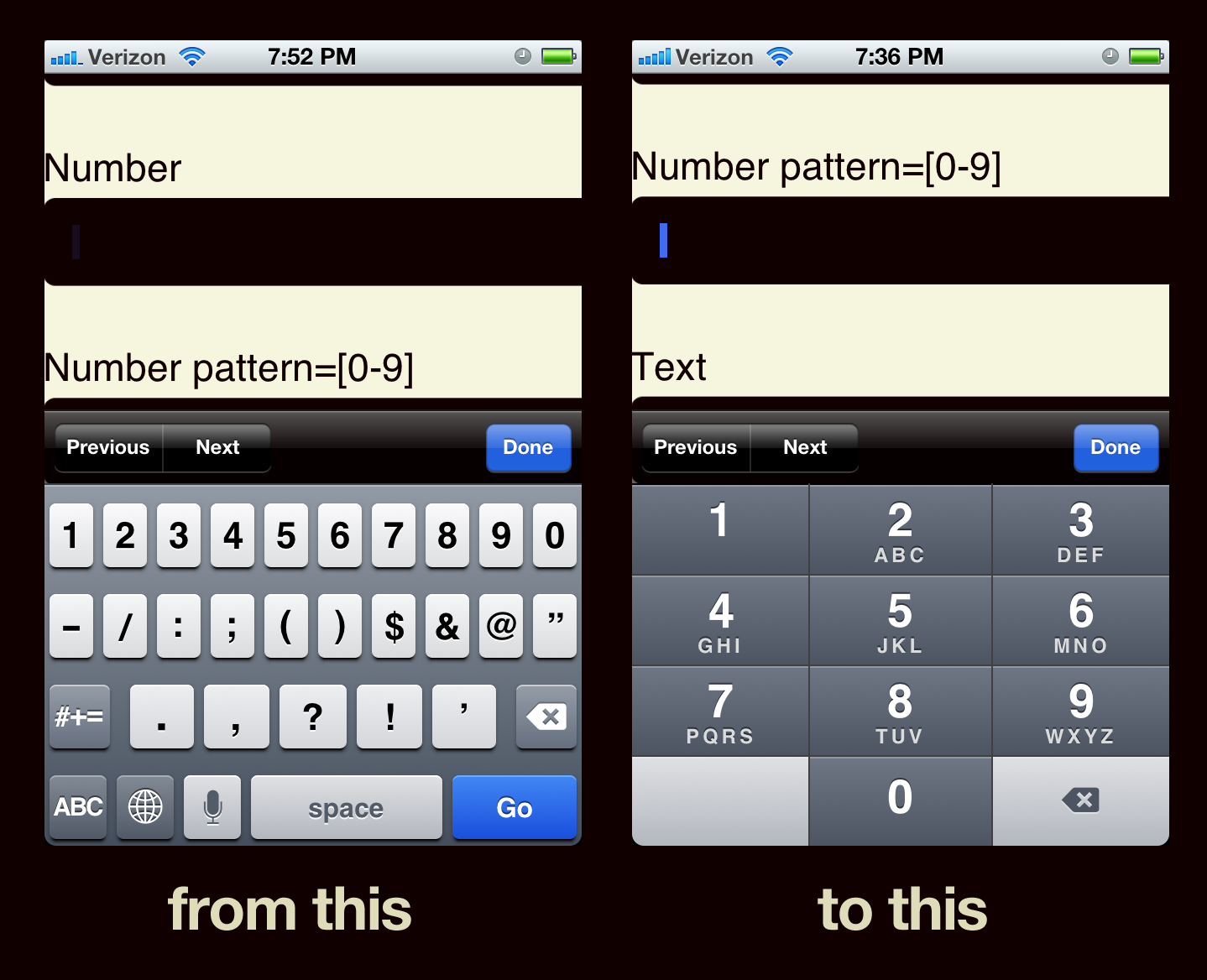
tel with Javascript, but we were wondering if there would be a better way. After some Twitter-talk with Grigsby and Chris Coyier, I set up a demo page to see if setting pattern="[0-9]* would make a difference. Thankfully it did. So here's the recommended format for numeric input types:
Adding pattern="[0-9]*" triggers iOS to bring up the obese-finger-friendly keypad instead of the just-alright numeric keypad riddled with punctuation. Usability wins and the crowd goes wild. By default iOS only triggers the number-only keypad on tel inputs, but this way the input type and the keypad don't need to be bound. Semantics win and the crowd rises to their feet in jubilation. Also worth noting the Kindle Fire pulls up a friendlier keypad regardless of whether pattern="[0-9]* is set: [caption id="attachment_2678" align="alignnone" width="650" caption="Number & Tel inputs on Amazon Kindle"]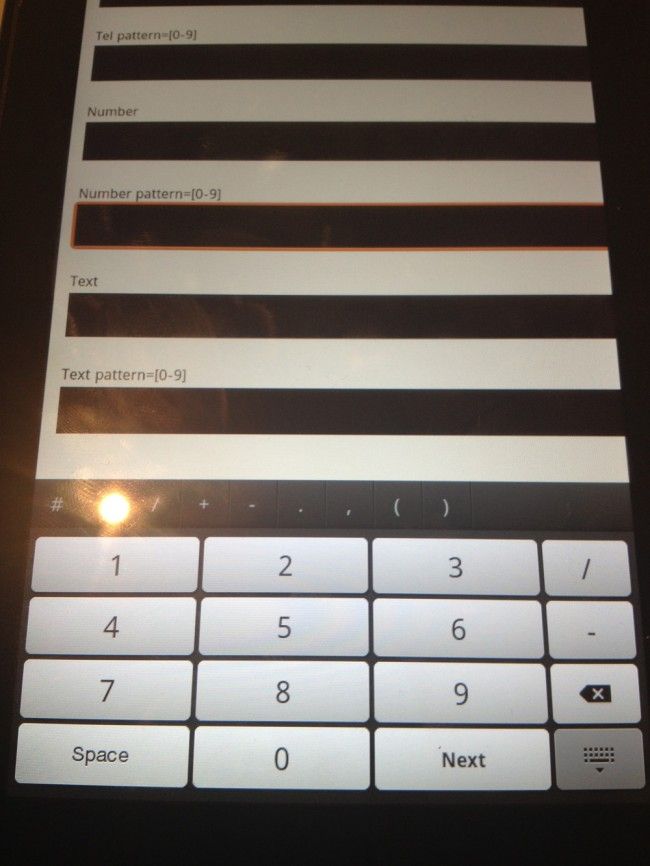
Update There are a few things that people pointed out in the comments or in other posts regarding numeric input types:
- Not all inputs that contain numbers (credit cards, SS#, etc) should have an input type of
number. They are best served up as text inputs, which are still free to use the pattern attribute to pull up the tel keypad on supported devices. - Submitting
input type="number"inserts a thousands separator in iOS, which can screw up form submission. - For all the talk about semantics, it really boils down to creating a user experience, which means that dynamically setting the input type to
telwith JS is a decent stopgap.
Some fine people have written about these issues in more detail: